Oops, I accidentally built a Steam Machine
I like the Steam Deck. It’s what convinced me that gaming on Linux is actually viable now.
But after playing through games like God of War Ragnarök1, I felt like I needed an upgrade. I love playing with the Steam Deck, but what I love more is playing without having to worry about playing around with graphics settings a lot. Great story and gameplay can only hide the fact that you’re running at 720p 30Hz on a big screen for a little bit.
I also get to play relatively rarely, so I might as well make it a better, more enjoyable experience. Quality vs quantity.
The specs
I went on a look-out for a used PC with roughly these requirements:
- any modern 6-core CPU or better
- includes both Intel and AMD as the CPU does not matter much here2
- an AMD GPU that can do 1080p/4K gaming, depending on the game
- NVIDIA was out of the question due to lack of support on SteamOS
- Intel GPUs are a risk that I was not willing to take right now
- 16+GB RAM
- has to support an NVMe drive
- using the SteamOS recovery image method is dependent on this
- acceptable case, PSU and cooling setup
- if it does not burn the house down and makes the machine cool and quiet, then I’m fine with anything
The AMD GPU being a hard requirement turned out to be an interesting challenge. I wasn’t looking into putting together a custom build, but was rather going for a setup that works and that I can customize according to my specific needs. Turns out that most of the PC-s out there on the market are all based around NVIDIA GPU-s, and AMD builds of this range are relatively rare, with a guesstimate of the ratio being roughly 10 NVIDIA-based machines to 1 AMD-based machine. The good side of this is that the selection process was made way simpler as I got to choose between 3-4 options in the end.
During my search I also saw some machines that I would call absolute overkill, and I almost got one in a bidding war, but eventually I found a more sensible option. It also included a monitor, keyboard, mouse and three SSD-s that I didn’t really need, but the PC itself was decent.
Here’s what I landed on:
- Intel i5-10500
- 6 cores 12 threads at a reasonable speed (4.2 GHz in real-life use)
- adequate Cooler Master CPU cooler that does a lot of RGB if needed
- 16 GB DDR4 RAM @ 2666 MT/s
- I soon upgraded this to 32 GB because my brother had some leftover modules from his own memory upgrade
- I forced the modules to run at 3200 MT/s. It’s memtest-stable so good enough for me.
- AMD RX 6600XT with 8GB VRAM
- some might scoff at the VRAM amount, but coming from a Steam Deck where 16GB was shared between CPU and GPU, this is plenty!
- 512GB NVMe SSD
- three 256GB SATA SSD-s
- previous owner put them in as RAID0, which is clever and works well as a game library
- some Gigabyte motherboard that works
- it really doesn’t matter here
- some Fractal Design case, possibly a Define-series one
- all I know is that it’s huuuuuuuuuge
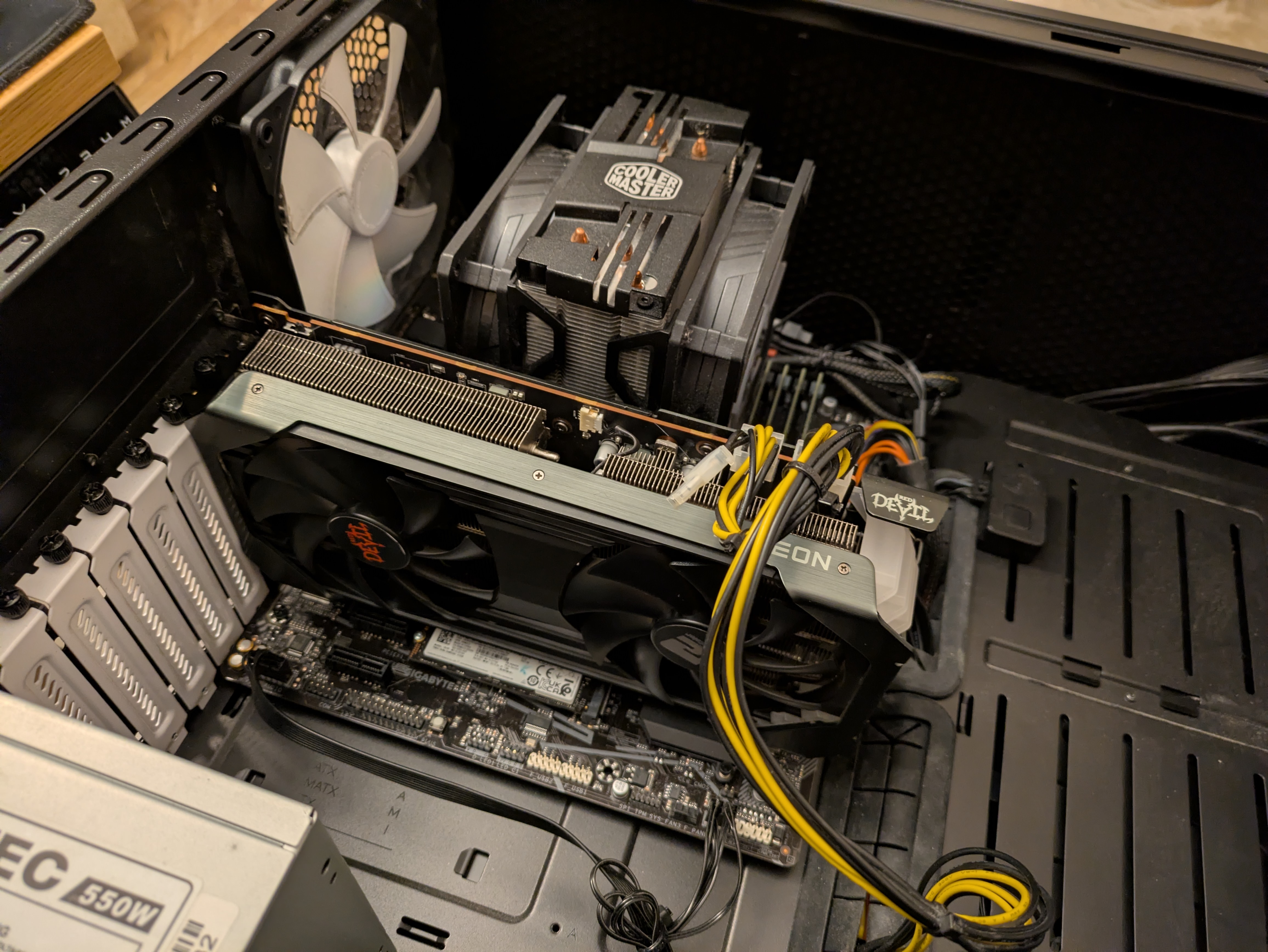
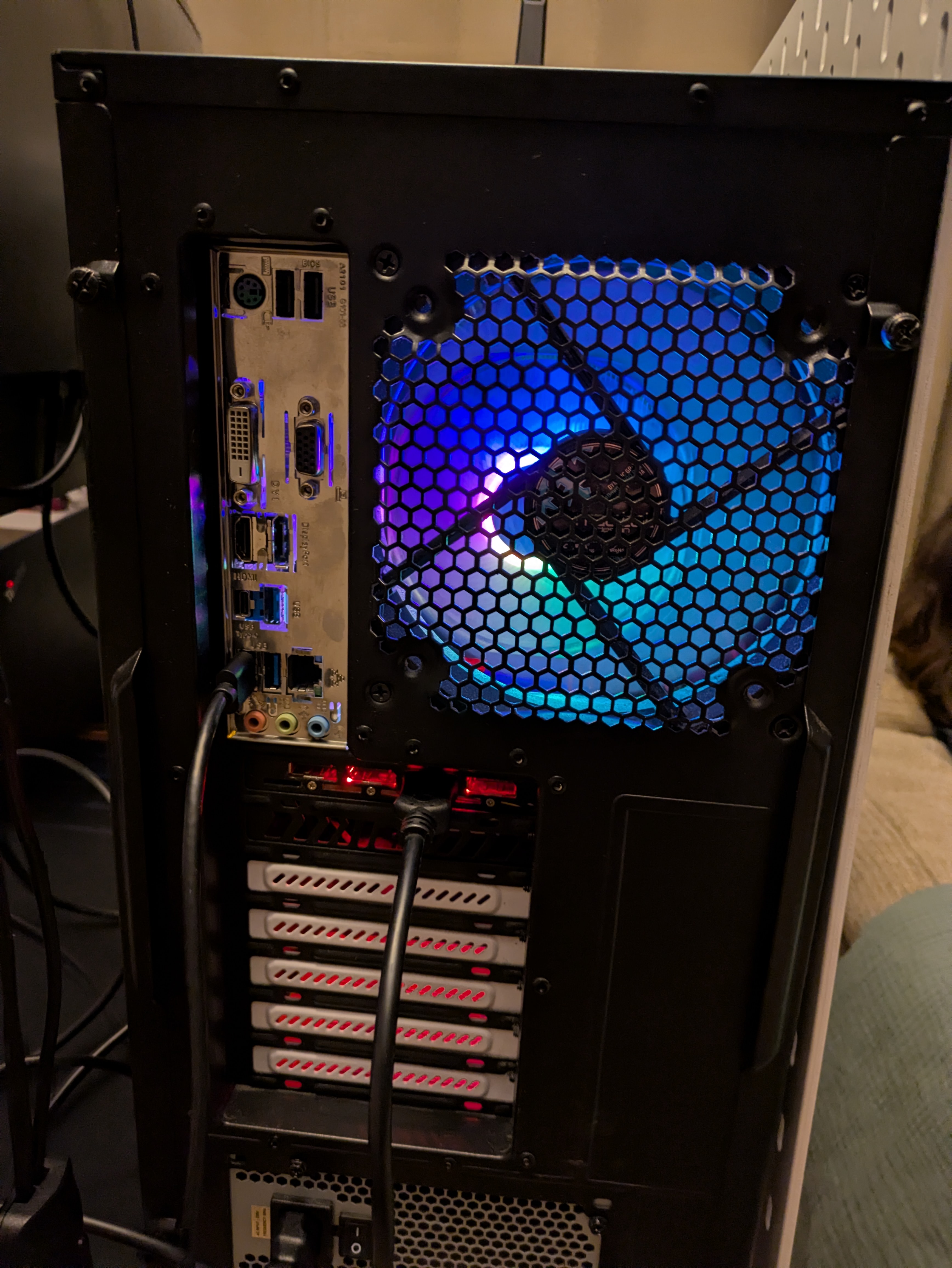
All-in-all, it cost me 365 EUR in Estonia in October 2025, and so far I’ve made about 25 EUR back from the SSD sales alone, with some items still up for sale. It’s not as portable as a Steam Deck, but it’s cheaper even if we account for the cost of the game controller and cables/accessories/adapters that you usually need.
The setup
Regarding the operating system choice, I tried both SteamOS from the Steam Deck recovery image, and Bazzite. Both work fine and in the default couch gaming mode you won’t notice a difference, but I ended up defaulting to SteamOS because I had my setup and configuration changes tuned around that. The SteamOS recovery image approach does assume that you have an NVMe drive available, so if you lack one, you’re better off trying Bazzite as that can be installed on any drive.
I replaced the NVMe SSD with a cheap 128GB one and utilized the bigger drive in the LattePanda IOTA setup that now serves as my home server.
As a game library drive, I took a 1TB Samsung SSD that I had around, which roughly matches the storage that I had available on my Steam Deck that I ended up modding with a 1TB M.2 2230 SSD. With games like God of War Ragnarök taking up around 176GB, it’s not going to be the most luxurious arrangement, but for now it’s okay.
The Fractal case that it came up with was one that is fully metal, with sound dampening material present on the side panels. It’s a bit banged up, but still a pretty nice experience if you have the room for storing one in your setup. The case had one flaw that I stumbled upon: the power button on the Fractal case liked to get stuck, which seems to be a common issue with that model. I fixed that with a random power button that I sourced from a local electronic parts supplier for a few euros and that works really well now, with the additional bonus of it being slightly more cat-proof.
The default fan curves on the motherboard were a bit too aggressive, so I had to slightly tune them down, and now the machine is quiet while doing a great job with keeping the internals cool. You can hear a subtle whirring when you’re in the same room with it, but during gaming it stays at reasonable volumes and is not noticeable. Certainly quieter than a Steam Deck would be.
The gaming experience
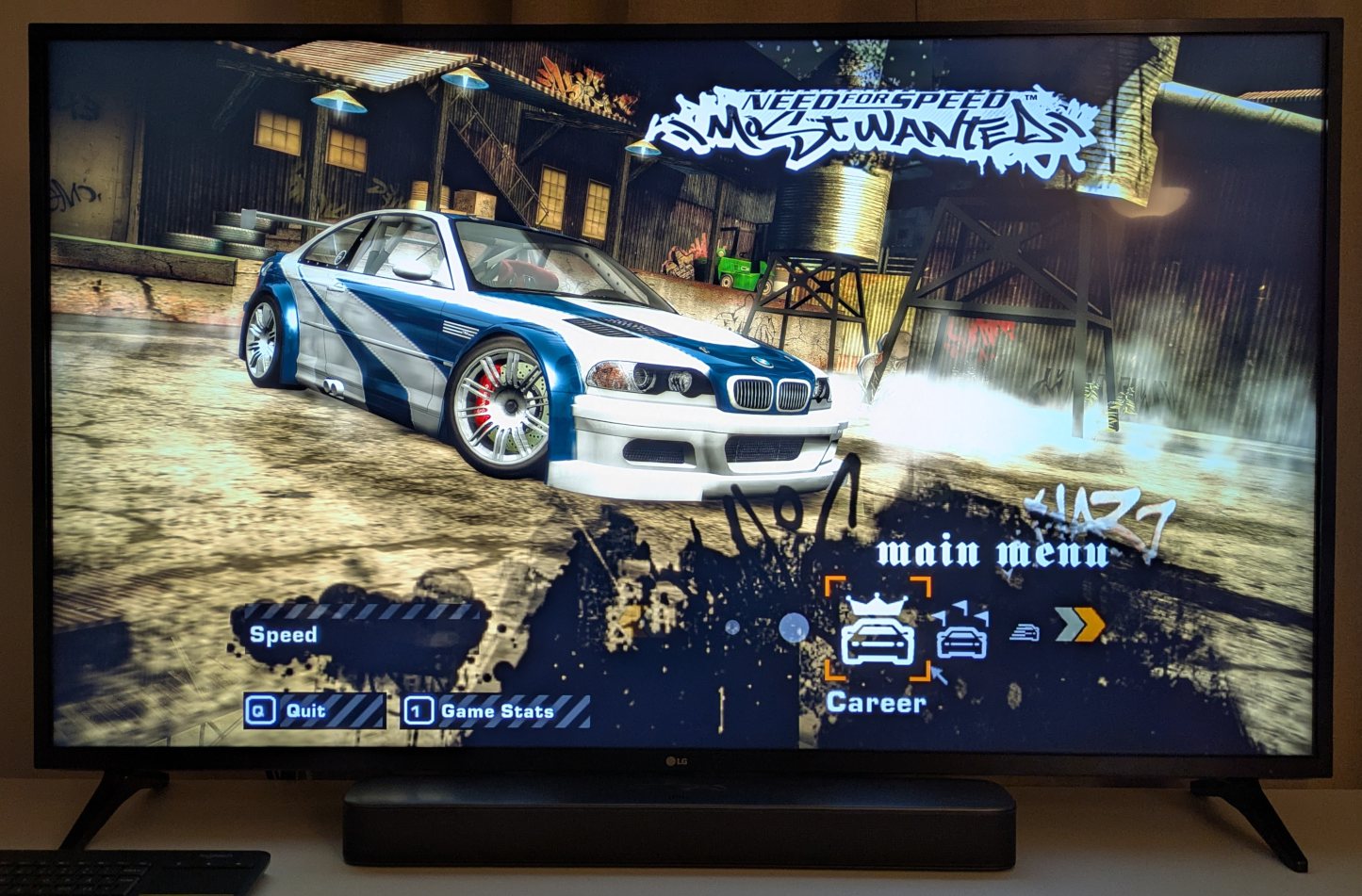
The AMD GPU is a low/midrange model, but it gets the job done in 1080p gaming, and with a lot of titles it can do 4K with ease. In God of War Ragnarök I stuck with 1080p and cranked the settings, but with games like Need for Speed Hot Pursuit Remastered, I pushed the resolution to 4K with high/ultra settings, and it runs smoothly at 60Hz.
This setup also taught me that Linux supports HDR now, which was news to me! My tech setup usually lags behind the state of the art, mostly because I don’t really see a need to upgrade to the latest and greatest thing out there if the current one works well enough, but this was a really nice surprise. My TV has a crappy HDR implementation, so I don’t get the full HDR experience, but it’s nice to see the TV show that HDR logo when I start up the machine.
Regarding the gaming experience, I’ve only noticed a few sore spots.
For whatever reason, the Need for Speed (2015) just does not start up on anything but an actual Steam Deck. It just doesn’t work here. I can’t be arsed to investigate this yet, the wonky physics in this game are perhaps not worth that effort.
It’s also clear that the choice of an Intel CPU is generally fine, but in God of War Ragnarök it was running too well,
so the CPU kept dropping down to lower clock speeds, which then made the game performance inconsistent. Finding that
this was the issue was actually quite straightforward: when I first loaded the game, the shader compilation was taking
place in the background and even though the CPU was at a constant 100% usage, the game ran quite smoothly. It only
started stuttering after that was done, and the integrated mangohud setup helped confirm the issue as its most
detailed preset shows the frame time and CPU clock speed graphs really well.
Since this is just a Linux box, then you can of course run a few commands to fix it.3
Here’s how I fixed it.
Create a desktop entry at /home/deck/.local/bin/its-gaming-time.desktop with the contents:
[Desktop Entry]
Name=Gaming Time!
Exec=/home/deck/.local/bin/its-gaming-time
Comment=
Icon=
Type=Application
Terminal=true
Create a file /home/deck/.local/bin/its-gaming-time with the contents:
#!/bin/bash
# Set performance mode
echo performance | sudo tee /sys/devices/system/cpu/cpu*/cpufreq/scaling_governor

# Set min_perf_pct to 100 (forces min freq = max freq)
echo 100 | sudo tee /sys/devices/system/cpu/intel_pstate/min_perf_pct
Don’t forget to mark the script as executable with chmod +x /home/deck/.local/bin/its-gaming-time.
Note that the script above does require that you have set up passwordless sudo on the SteamOS installation.
This can be configured in /etc/sudoers.d/wheel, just make sure that the line starting with %wheel looks like this:
%wheel ALL=(ALL) NOPASSWD: ALL
With all that set up, in desktop mode, right-click on the desktop shortcut, “Add to Steam”, and now you can run this script any time in Steam gaming mode, even while a game is running!
All-in-all, I’m very satisfied with the experience that a cheap gaming PC box provides with SteamOS. The installation is painless, my wireless controllers just work, and aside from a few rare exceptions, my games run really well.
It’s also way easier on my eyes and with the 4K resolution I can actually see oncoming cars better in games like Need for Speed Hot Pursuit Remastered.4
The GabeCube
Less than three weeks after buying that gaming PC, the Steam Machine was officially announced.
The rumored specs suggesting a 6 core/12 thread CPU, 16GB DDR5 RAM, and a custom 8GB VRAM AMD GPU that seems to be roughly comparable to an AMD RX 6600XT-ish level of performance.
It seems that I have accidentally built a Steam Machine. Oops.
Of course, the specs and final performance are not public at the time of writing, and the Steam Machine has many benefits (better SteamOS compatibility, good WiFi, smaller size, likely more efficient and quiet), but it’s still interesting how close I got with my setup and selection criteria.
I was slightly disappointed that I got this machine right before that announcement, but then I reminded myself of the fact that I can enjoy games on the big screen right now, and the Steam Machine is scheduled for a release in Q1 2026, which can be as late as 31st of March 2026.
And hey, when the Steam Machine does come out and I decide to get one, the current gaming desktop will make for a very good home server candidate with all the room that it has available, and all the six SATA ports on the motherboard sure look tempting. I’m pretty sure that the Fractal case also allows something crazy like 17+ hard drives installed in it.
This approach of building my own Steam Machine of sorts did lead to me selling my Steam Deck. Better to have someone else enjoy it than having it sit in a box until its battery dies. That also serves as a major sign of confidence for this big box that makes my sparse downtime sessions more fun.
If you have a machine with a modern AMD GPU, then give SteamOS a try, you might be surprised at how well it works. Even a laptop with an AMD APU can do it, as long as you temper your expectations regarding the image quality.
-
it’s a banger, try it if you’re into the story, or you just want to indiscriminately smash and kill. ↩︎
-
this is called foreshadowing ↩︎
-
some might see it as “ugh, Linux moment” type of thing, but I see it as freedom to fix issues that you would otherwise be unable to even diagnose and address. Power to the players! ↩︎
-
you can probably tell that I had a blast replaying that game for the 5th time recently. It’s not even the best NFS game, and yet I love playing it over and over again. ↩︎
Subscribe to new posts via the RSS feed.
Not sure what RSS is, or how to get started? Check this guide!
You can reach me via e-mail or LinkedIn.
If you liked this post, consider sharing it!