Trying out open weights LLM-s on hardware that I can actually afford

I’ve been aware of open weights local language models for over a year. They have gone from being a fun but useless novelty to something that with the right harness and hardware could get closer to becoming usable for day-to-day work. Not at the level of something like Opus 5, sure, but usable enough for doing useful work without a lot of headaches.
After a Friday evening e-mail from a government across the ocean resulted in a (allegedly super capable) model being turned off, I was instantly motivated to give open weights models a try on hardware that I can actually afford.
Local LLM crash course
If you’re unfamiliar with hosting local large language models, then a lot of this may seem like gibberish. Don’t worry, I had the same reaction initially. With trial, error, and a lot of guidance, I kind of know what to keep in mind when playing in this area, so here’s a quick crash course on common terms and gotchas.
Large language model: it’s just a file on your disk that contains the weights (which is a bunch of math).
Model family: Qwen, Deepseek, Gemma, Kimi, Z.ai, you’ll see a lot of names like this. These are generally backed by AI labs or companies.
Parameters: how big and “smart” it is. Bigger is generally better and smarter, but also requires more memory to run.
Tokens: unit of work that these models work with. What you give to the model and what you get out is measured in this. Think of it like splitting a word in-to pie-ces wh-en wor-ki-ng wi-th te-xt.
Tokens per second (tok/s): common measurement that indicates how quickly the model can work with text.
GGUF: a common format tha the model file is packaged in.
llama.cpp: a program that takes the model file and makes it usable over a chat interface or over an API, similar to what OpenAI, Anthropic and many others do.
Harness: a program that interacts with the model on your behalf in a finite loop, and has tool calling capabilities, such as file reads/edits, web searches and access to external resources like your Google Drive if set up. OpenCode, Claude Code, and Pi are common examples.
MCP: it’s like a bad REST API for LLM-s.
Quantization: cool math that makes models smaller and easier to run at the cost of accuracy. Example: model is 80% smaller, but you get 75% of original accuracy as a result.
MoE: mixture of experts (or a Simpsons character). The model is large, but only a small part of it is active at any point.
Context: how much room you have for working with a model. Larger context requires more memory, but allows for more input data to be processed and is a requirement for longer agentic sessions with tools like OpenCode.
There are also a lot of toggles and settings that you can play with on models, such as temperature, but those are usually documented alongside the models with recommended values for different use cases.
First tests
The hardware that I used for testing is “poverty” level hardware when it comes to hosting language models locally:
- AMD RX 480 8GB, which is 10 years old (~50 EUR used)
- AMD RX 9070 XT 16GB, which is brand-spanking new (~700-900 EUR depending on version)1
Initially, I also had plans to do some testing on a ThinkPad P14s gen 4, but gave up on that idea as soon as I learned that memory bandwidth matters a lot for token generation, and this machine had a ~ 6x disadvantage to the RX 9070 XT in that department.
When I bought the RX 9070 XT, I did so with the intention of making it dual purpose: I can get my Forza Horizon 6 fix in, and when not gaming, I can run some models on it for fun.
I know that throwing 800 EUR on a piece of computer hardware is a quite privileged position2, but compared to the likes of NVIDIA DGX Spark, AMD Strix Halo based machines, or custom rigs people put together for running local LLM-s, it sure feels like poverty-levels as those setups can range from anywhere between 2000 EUR to 100 000 EUR. Hardware is expensive, and after running local models, I now know why.
I was quite limited on free time but had the interest to give at least something a go, so I used Claude to try to replace Claude, and put together a shortlist of models to run. Using AMD GPU-s on Linux limited me to llama.cpp and the Vulkan-based backend due to AMD RX 480 being old enough to not be supported by latest versions of ROCm.
For the harness, I picked OpenCode, its interface seemed similar enough to Claude Code, and one of its creators left a great impression on The Pragmatic Engineer podcast. I’ll note that later on I did end up pivoting to Pi, so you’ll see more mentions of that from now.
One of the first models was a Google Gemma 4 model. That was memorable mainly because downloading it from Hugging Face required me to accept the terms and conditions, which is on-brand for Google. This experiment ended quite quickly due to the Gemma 4 model not handling tool calls properly, or I heavily misconfigured it. Either way, not a good experience.
gpt-oss, one of the few open weights models from an organization that is literally named OpenAI, was next. That was a slight improvement, but it wasn’t good either.
I learned very quickly that in order to make good use of local models, you need to set the context to a usable size both on the llama server and OpenCode provider configuration. With compromises to model quality and size, I settled on 128K context window, which is a nice round number and is about half of what you can get from most common models provided by third parties.
If you pick a model that’s too big, or set the context to the point where it does not fit within the VRAM of your GPU, you will notice that it will spill over to system memory and that will make everything really slow. Keep things on the GPU to go fast, and only rely on system memory if you prefer model capabilities over speed.
The need for a sandbox and good backups became apparent very quickly. Smaller language models are very dumb, it turns out, and they can happily wipe your work and delete files that they’re not supposed to.
Plan mode in harnesses like OpenCode and Claude Code is also more of a suggestion rather than a strict limitation. OpenCode may or may not follow it, and for Claude Code it was outright broken at all times.
On the AMD RX 9070 XT machine, I noticed that llama-server container would keep running out of memory whenever I worked
on longer agentic sessions, so I had to set --cache-ram 0 in the server configuration to stop that from happening.
unsloth/Qwen models
Over time, I noticed that places like Hacker News got more excited about hosting your own models, and quite a few blog posts and comment sections were mentioning Qwen family of models, mainly the quantized versions provided by unsloth on Hugging Face.
I tried with the smaller ones first, given that my hardware is limited. When you open a model page on Hugging Face, the number of options and quantized versions of the models can be overwhelming, so I relied on guidance that said that UD-Q4_K_XL models are generally the sweet spot, and you should use more aggressive quants, such as UD-Q2_K_XL, only if there is no other option.
unsloth models can also have MTP versions of them, which helps with processing speed, at the cost of about ~1/1.5 GB of memory overhead.
The 4B and 9B models are quite fast on a solid GPU, but their perceived intelligence and persistence across longer sessions is still not very good. You can do the wrong thing really quickly with these, but for small tasks like fixing Hugo configuration to get rid of a deprecation warning was something they handled well with OpenCode.
The 27B model with a more aggressive quant was overall the best experience, but it pushed my hardware to the limit. But even then, using it over the long term was an exercise in frustration. It would still make invalid tool calls, and while it was a solid improvement over the 9B model, it was difficult to trust it with anything important. I gave it the task of ensuring that this blog picked its theme automatically based on system theme preferences, which is fine, but anything more complex, such as Linux infrastructure changes and migrations in an Ansible playbook were full of subtle issues.
These models are also hella dumb. When I asked them to go through my infrastructure repository to find issues that we
could fix, it confidently stated that the SSH public keys are not properly encrypted with ansible-vault. And it
did it more than once.
Another time, I got into a heated argument with a 9B model when creating a simple backup script with rsync. I told it
not to add timestamps to the solution. It did so anyway. I asked it to review it as I explicitly told that we don’t need
timestamps here. It acknowledged it, and then did nothing about it. After three more turns, it would finally make that
change. There were quite a few comparisons to dealing with a toddler in this exchange.
Often, I also discovered that I can actually be faster and more effective than these models for mundane tasks. Removing some configuration, find-replace type of work, answering questions about my infrastructure, those were often just easier to open up with IntelliJ and to do it manually, with my own two hands. Part of it is due to the slow prompt processing and inference speeds that I can get with this level of hardware, but I think it serves as a good reminder that large language models and the harnesses built around them are just tools. Use the right one for the job. You wouldn’t use a dedicated Kubernetes cluster to host a static website, so why should you use an LLM to rename a few files?
There were also issues with agents getting into an infinite loop where it retried the same task over and over again, in the style of “I need to check how X is done in this repository”, tool call, and repeat the same call.
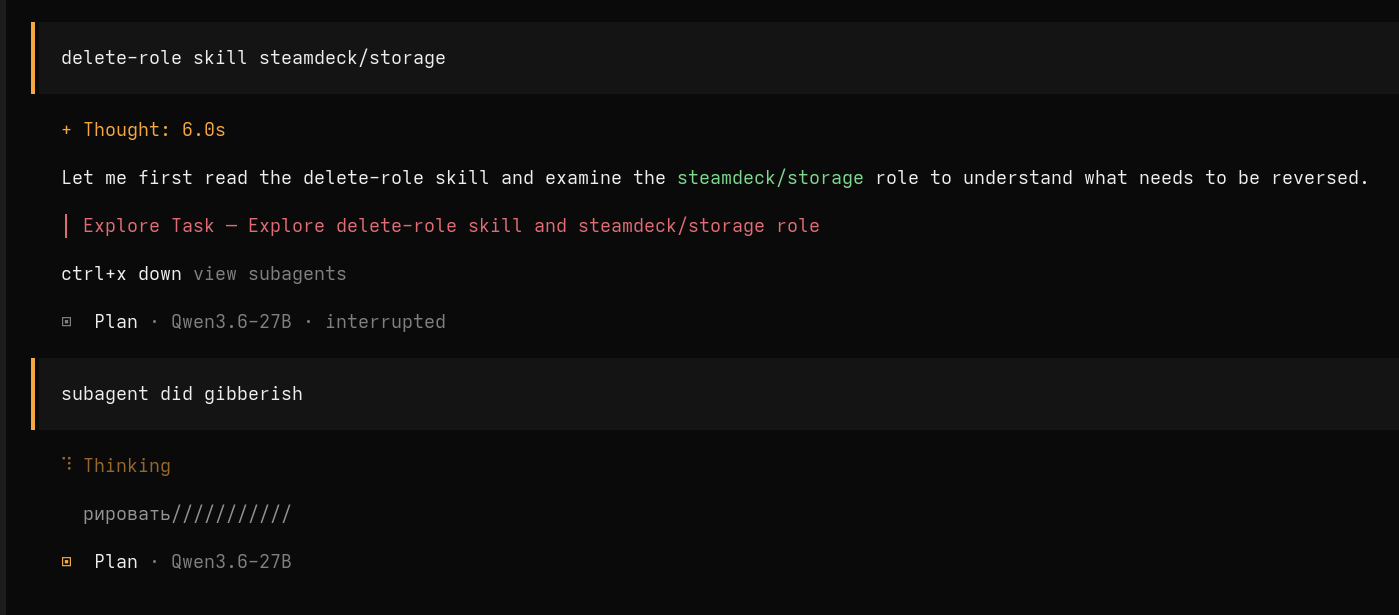
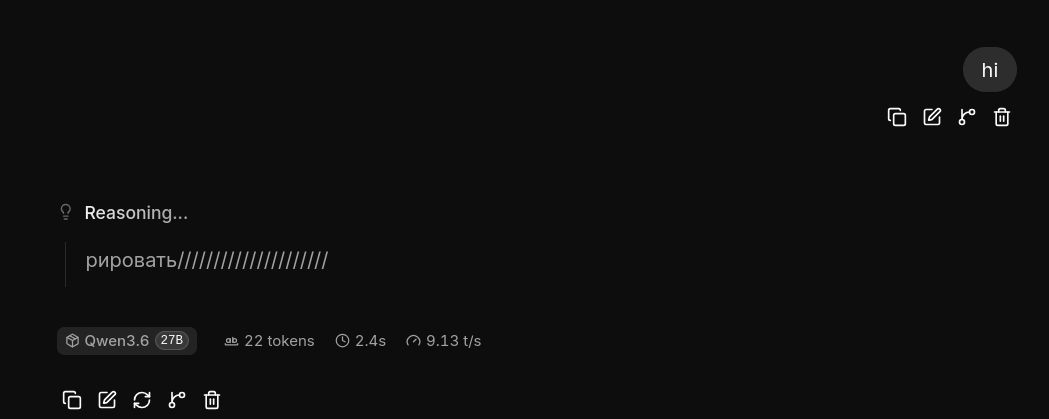
I also ran into some issues where the GPU or llama ended up in an invalid state, so my prompts received random gibberish as output. One time it was Chinese hieroglyphs, and another time I saw a common suffix in Russian and a bunch of forward slashes.
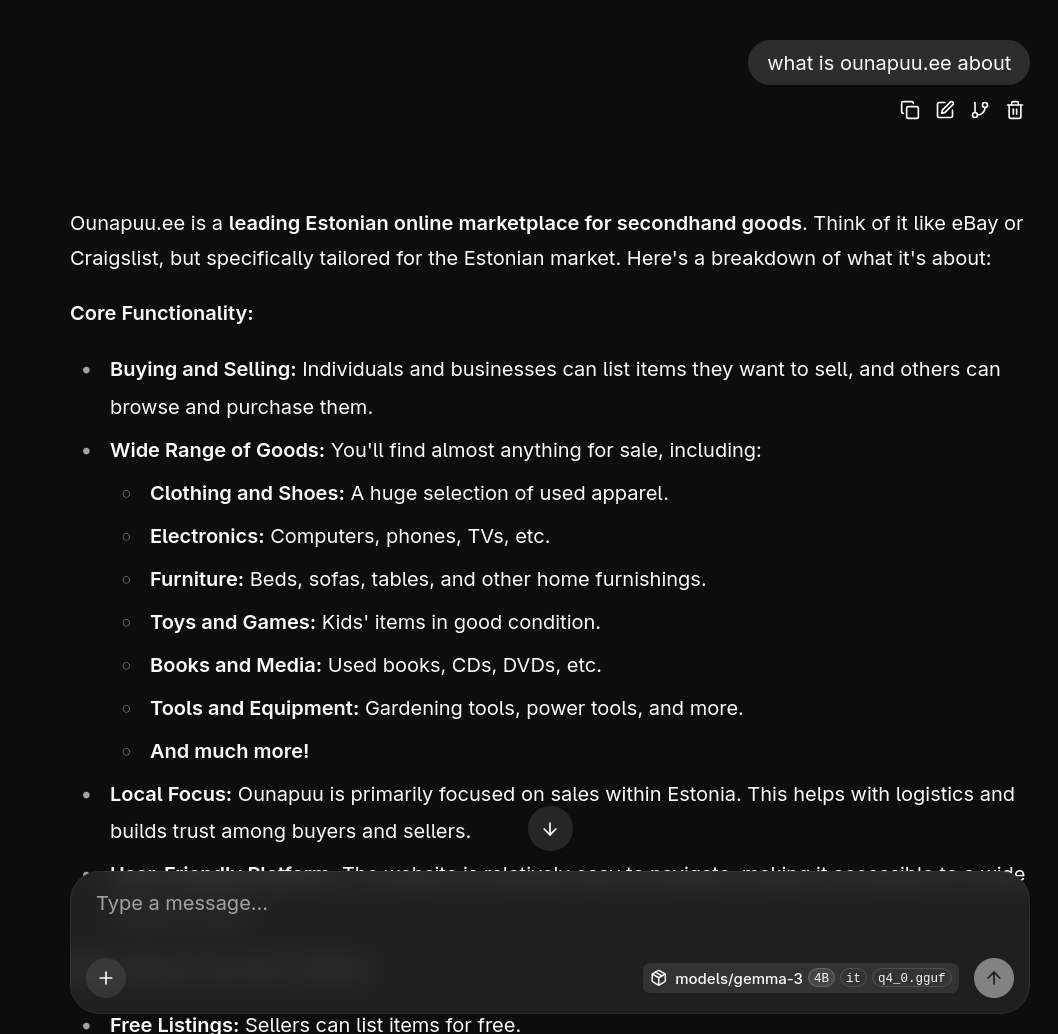
Small models are also quite bad at factual knowledge.
But at least they are fun to abuse.
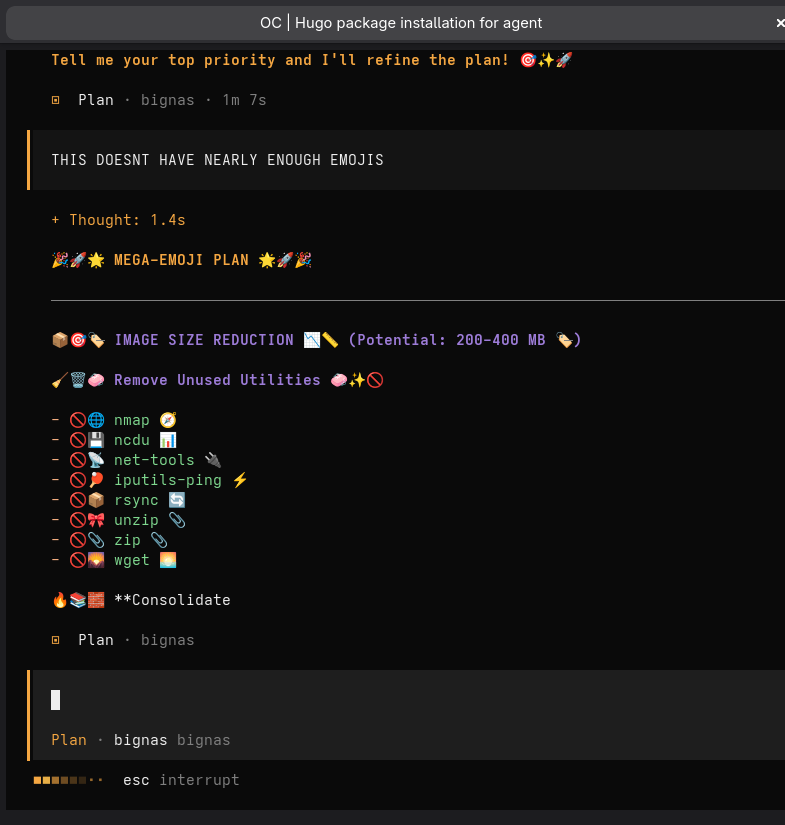
While that’s going on, the GPU goes brr.
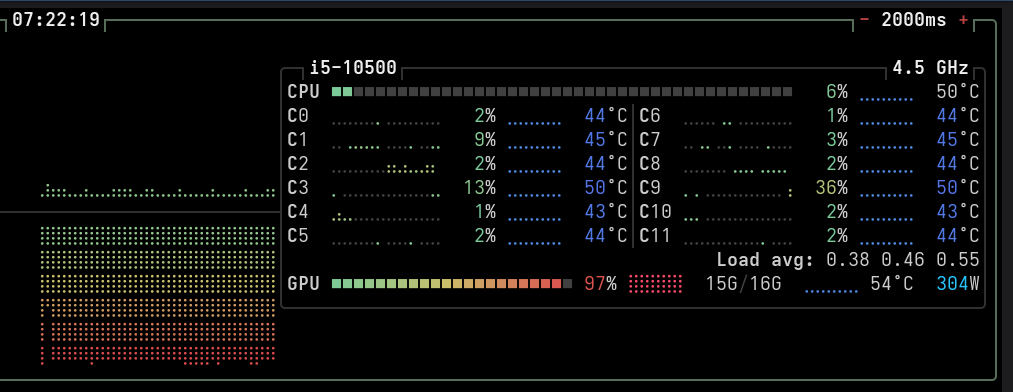
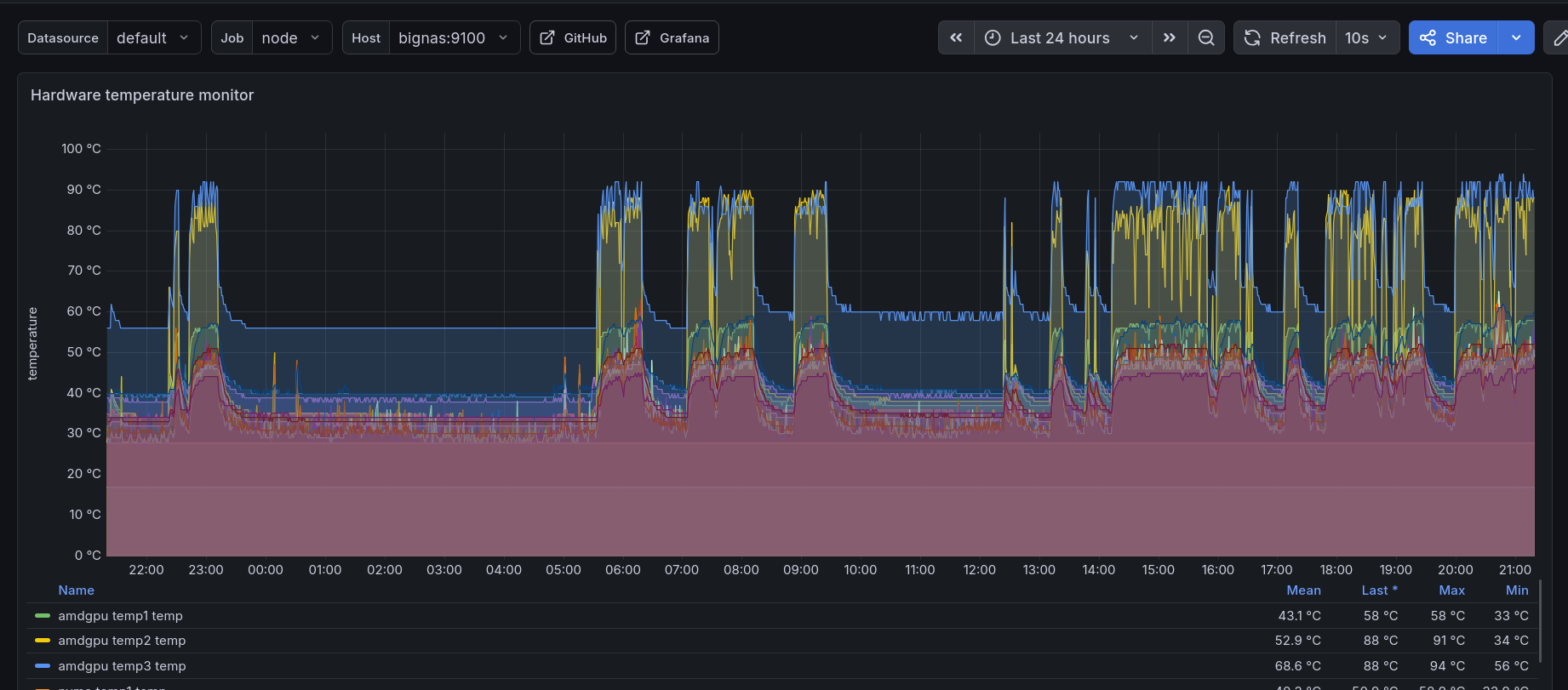
Regarding the experience of using local models with the two GPU-s that I have, one thing became clear very quickly: the RX 480 really struggles compared to the RX 9070 XT. The difference in processing speed is about 10-20x depending on the situation. If that’s all you have to play around with, then try 4B models first to get a feel for this setup, but don’t expect anything more out of this than a good learning journey. I wouldn’t also recommend the RX 9070 XT 16GB for this type of work specifically, that amount of VRAM is the limiting factor. It’s a good GPU, no doubt about that, and its main job is gaming after all, but don’t get it for LLM-s only.
Gaming GPU-s as dual-purpose hardware
My gaming PC is a Linux machine. On Bazzite and SteamOS, it’s possible to run llama.cpp as a container using Podman, which is like Docker but better in some aspects, and Podman quadlets fit really well with other systemd services.
While not gaming, I can use the GPU to serve an AI model. When I start gaming, I can stop the LLM with a shortcut within Steam or a remote command over SSH, GPU VRAM gets freed, and bam, it’s gaming time!
llama.cpp also has a feature to automatically unload the model from VRAM if there are no requests coming in after some time, which is also very handy, but comes with the downside of first requests being quite slow, since now your GPU has to load the model back into memory from your storage drive. A stray request may also jump in during your gaming session and wreck things with that setup, making it less than ideal.
Personally, I love this balance. I don’t have agents running 24/7, I simply can’t find enough meaningful work to give to them, and when I do have something running, then I’ll be in an active steering or reviewing mode anyway. When I’m not doing AI stuff, I can turn my brain off and game.
Claude Code replacement?
Overall, using these smaller local models felt tiring.
Compared to Claude Code and its Opus line of models, you have to do a lot more handholding, guidance and validation that what you just did actually works or is even the best way to go about it.
It’s possible to also use these models with harnesses like Claude Code, but that does not improve the overall experience and is notably slower compared to Pi and OpenCode due to Claude Code using more tokens to achieve the same task. When tokens are slow, you will notice that a lot.
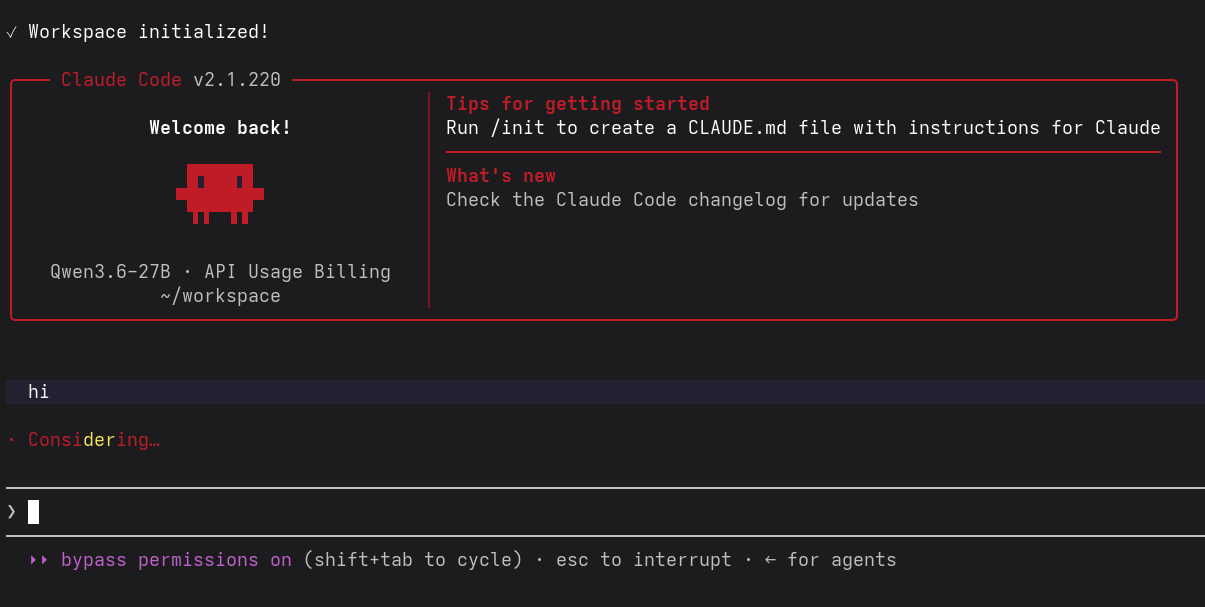
What I love about harnesses like Claude Code and its capable models is that I can set it up with a goal using a relatively vague prompt, supported by some rules and skills, and it can set up a temporary harness to achieve the goal and validate the results directly. Brainstorming ideas for improving the performance with actual measurements, or migrating Docker Compose files to Podman quadlets with validation against an actual temporary host, it just does it and the results are damn good. These tools are meant to be helpful and to reduce my cognitive load. Let the machines do the work.
At this point, I had given up on local models.
For now.
Qwen 3.8 27B
This is the model that reignited my interest in local models once again. unsloth had day 1 releases for all sorts of quantized versions, and after giving this video by Luke’s Dev Lab a watch, I was genuinely impressed and wanted to give it a go.
Even with a heavily quantized UD-Q2_K_XL version running on an AMD RX 9070 XT 16GB, it has been very impressive for its size.
I’ve done most of the testing with medium reasoning level, and it’s fine. The default of
xhigh has been reported as being too much,
and on local models speed matters more, so I went with the middle ground.
This particular model has also not resulted in lots of invalid tool calls, and it has only gotten in trouble once where I had to stop it, since it was stuck in an investigative rabbit hole for a minor detail that didn’t really matter.
Qwen 3.8 27B has also felt as more persistent, and its traces also mimic Claude behaviour a lot. It’s also the first model that I’ve observed freely using phrases like “ugh” and “damn it” within its “thinking”/“reasoning” traces, which was fun to see.
For fun, I also did an experiment at work: Claude Code and Opus 5, vs Pi and Qwen 3.8 27B Q2. Take a public financial report for a company, summarize it and find any red flags or issues. With a sample size of 4 people, the local model output was preferred by all respondents.
It seems that you can also do a lot yourself to make better use of local models. If you have a long-running project, then take the time to set up a good harness for it, introduce skills and deterministic tools, scripts and tests that help keep things in order. Local models operate much better within these guard rails. I used Claude Code and Opus 4.8/5 to set up rules, skills and validation scripts, and that made the experience a lot better with Qwen 3.8 27B and Pi’s minimal harness with two additional tools (web search, web fetch).
For those curious, on an AMD RX 9070 XT 16GB on llama.cpp with Vulkan backend, output token generation seems to run around 30-50 tok/s, and prompt processing is between 1100-500 tok/s, with tha latter getting visibly slower during longer agentic sessions and context sizes, hence the range. In practice, 40 tok/s is slightly faster than my reading speed, which is very usable and results in a great experience when observing the work of an agent.
This is the first model that I can run that I would actually want to throw real engineering work at. Once I get to do it, I’ll report back.
Closing thoughts
I’m genuinely impressed how far we’ve come in a short time with open weights models. There are parallels to my self-hosting hobby: it’s not the smoothest and most convenient experience, but if you don’t mind some manual work and setup, learning and are OK with not having the most features and capabilities, and you value control and privacy, then this is the way to go.
I’ve also gained more confidence in running local models, and it’s highly likely that this expertise will transfer well into my day job. Calling OpenAI or Anthropic API endpoints is simple, but if you have concerns around privacy, cost and data/compute sovereignty, then things get tricky real quick. Local models can help mitigate a lot of these issues, but you do have to invest in hardware up front.
I’ll have to emphasize again that my experience is more-or-less the worst case scenario for local models and others with more VRAM and money can run larger models and get much better results in the end. I hope to one day also get my hands on hardware with at least 128GB of fast memory, but for now these machines cost more than a months’ worth of senior product engineer pay in Estonia, so it will have to wait.
Subscribe to new posts via the RSS feed.
Not sure what RSS is, or how to get started? Check this guide!
You can reach me via e-mail or LinkedIn.
If you liked this post, consider sharing it!