Building cool things for myself while the world burns
When I thought about senior engineers 10 years go, I thought of them as superstars that got things done at a miraculous pace, and no matter what challenges they faced, they overcame them with seemingly no fuss at all. They just wrote code, maintained like a hundred popular open source projects, were always online and taking part in discussions and social media, and somehow also had a day job.
10 years later, I am a senior product engineer and nowhere near that level, which has made me quite sad. I have learned that this is not a huge problem, technical skills alone don’t qualify you for that role, but I’ve always wanted to work at that level of productivity.
Then LLM-based tools happened.
With those tools becoming more useful, I’ve started using them for solving my very specific personal curiosities and problems, and have gone through my ideas list in record time.
Now I’ve got to a point where I can confidently phrase a goal to scratch a particular itch, and can get pretty good results. I’m finally able to cosplay as a 10x engineer!
After turning the internet connection off from my KGB surveillance station LG TV for real this time, I had a
conundrum. The one thing the LG TV provided was an easy ways to watch content on ERR Jupiter,
Jellyfin and Plex via webOS apps. Without internet connectivity, I lost them.
Kodi is a fantastic home media center software, LibreELEC helps you run it on almost anything but a toaster, and it has all sorts of plugins for common services like Jellyfin and Plex. Nothing for ERR Jupiter, though. There is this old one that hasn’t seen any updates, and it did not work on my Kodi install. It has signs of an attempt to get it up to date, but that didn’t work either.
How hard would it be to create my own Jupiter Kodi addon?
Just like with painting a wall, most of your effort needs to go to the prep work as that determines your outcome. With building a Kodi addon, I started with putting up a visibility barrier with a Podman container that has permissions to launch more containers internally, background information on what we want to support, and acceptance criteria that involve actually testing and trying to play back content on the addon.
I let Claude Code do as much testing as possible itself, and I instructed it to add a reasonable amount of tests to the setup to avoid accidental breakages. That got most of the work done, but manual testing of the solution was a mandatory step of the process, as there were quite a few showstopper bugs in the addon, especially around DRM-protected content that the website knows how to handle. At least fixing the showstopper bugs and usability issues was a simple process, and simply reporting my feedback was enough to get them fixed with ease.
Since Jupiter service is a moving target, I ensured that we have documented the approach to use for keeping this addon up to date. Lack of maintenance is how these types of addons die, so this is something I want to keep up with while avoiding too much time spent on it.
After a month of real-life testing and cleaning up the repo, I’m finally confident enough to share it with everyone.
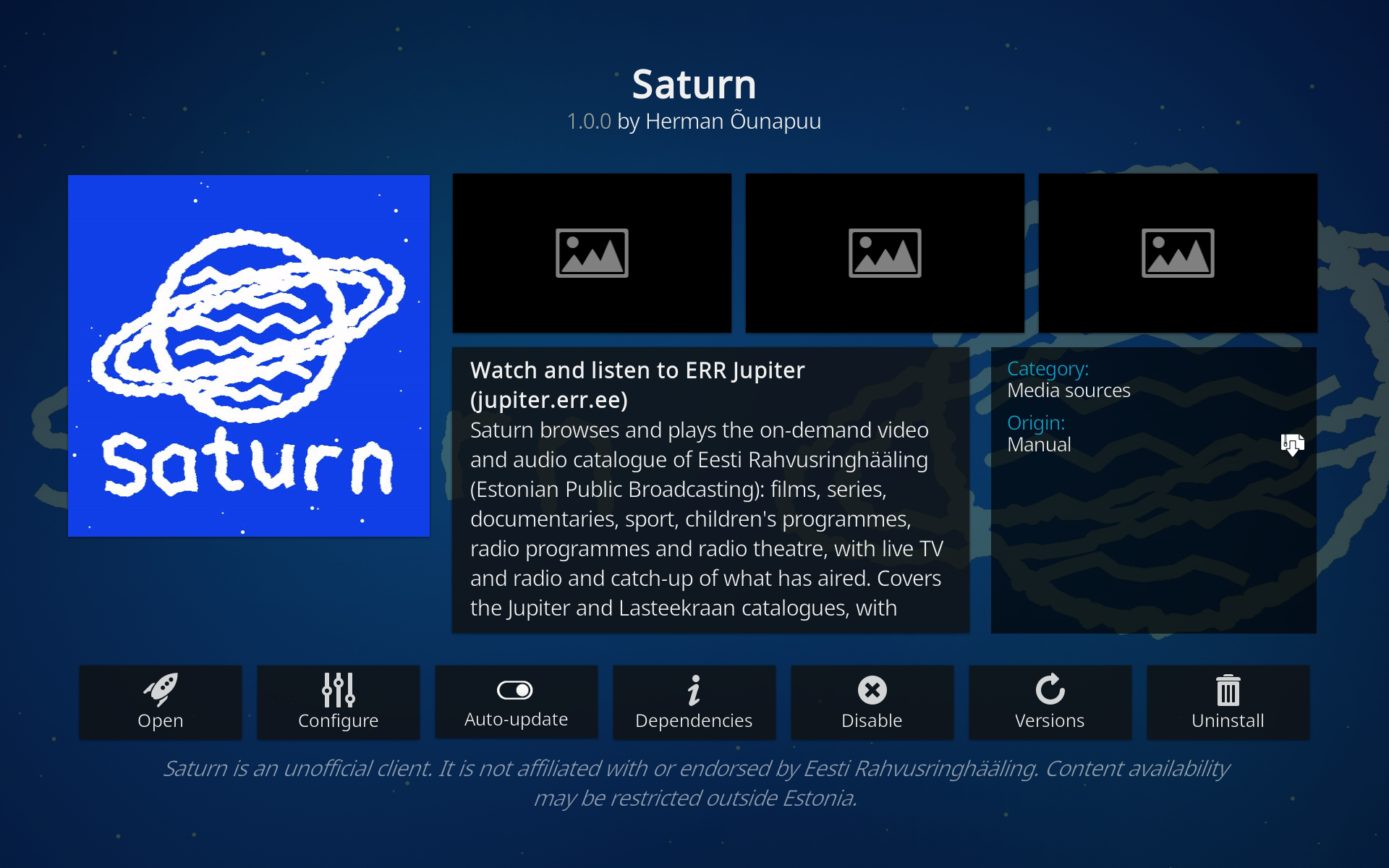
Here’s Saturn, an unofficial Kodi addon for ERR Jupiter content.
Since I dual-boot LibreELEC and SteamOS 3, I also had another annoyance that I fixed with this Kodi script addon that reboots into SteamOS from Kodi. Again, very specific, but may be useful for others out there.
I’d love these to get into Kodi official repositories and that requires an extra step, which I’ll do some time later.
Some people are using LLM-based tools to set the world on fire.
I prefer to have some fun and do things that I care about.
I’m looking forward to taking more powerful open weights models and open source harnesses to step into the realm of liberating hardware that I happen to own and to fix some annoying bugs with them. IODD ST400, crappy Chinese Android Auto thingy in my car, e-waste tier Android devices that are cheap as hell, everything is fair game now, and that excites me.
Subscribe to new posts via the RSS feed.
Not sure what RSS is, or how to get started? Check this guide!
You can reach me via e-mail or LinkedIn.
If you liked this post, consider sharing it!