The most unstable computer in my fleet is now the most critical one
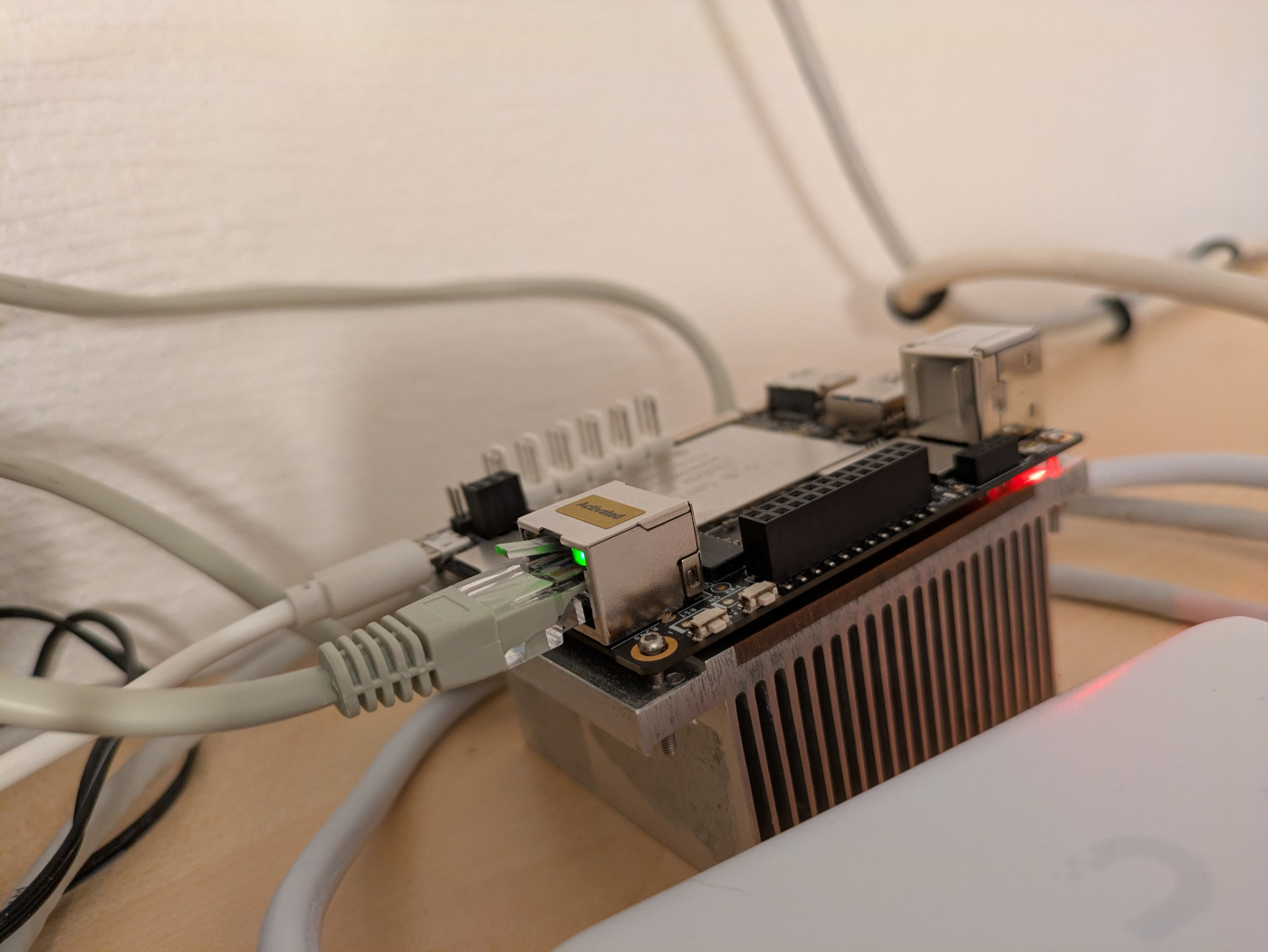
Remember that failed experiment where I ran Jellyfin off of a LattePanda V1?
Do you recall all the parts where I said what this single board computer cannot do?
Yeah, I remember.
Then I took it and put the two of the most critical services running on it: the blog you’re reading right now, and my Wireguard setup.
Trust me, it makes more sense with some context. The board is incapable of doing anything else other than serving content from the eMMC module, and it has a functioning network port. It doesn’t seem to crash in these scenarios.
When I try anything else with this board, especially things that include USB connectivity, things break. This makes the board ideal for a light workload that needs to be up 24/7.
The biggest threat to my uptime is not internet connectivity or loss of power (although that did happen for the first time in a year recently), it’s me getting new ideas to try out on my setup, which results in downtime. This board is so unreliable for trying those ideas out that it removes any and all temptation to do that, resulting in a computer that has the highest chance of actually being up and running for a very long time.
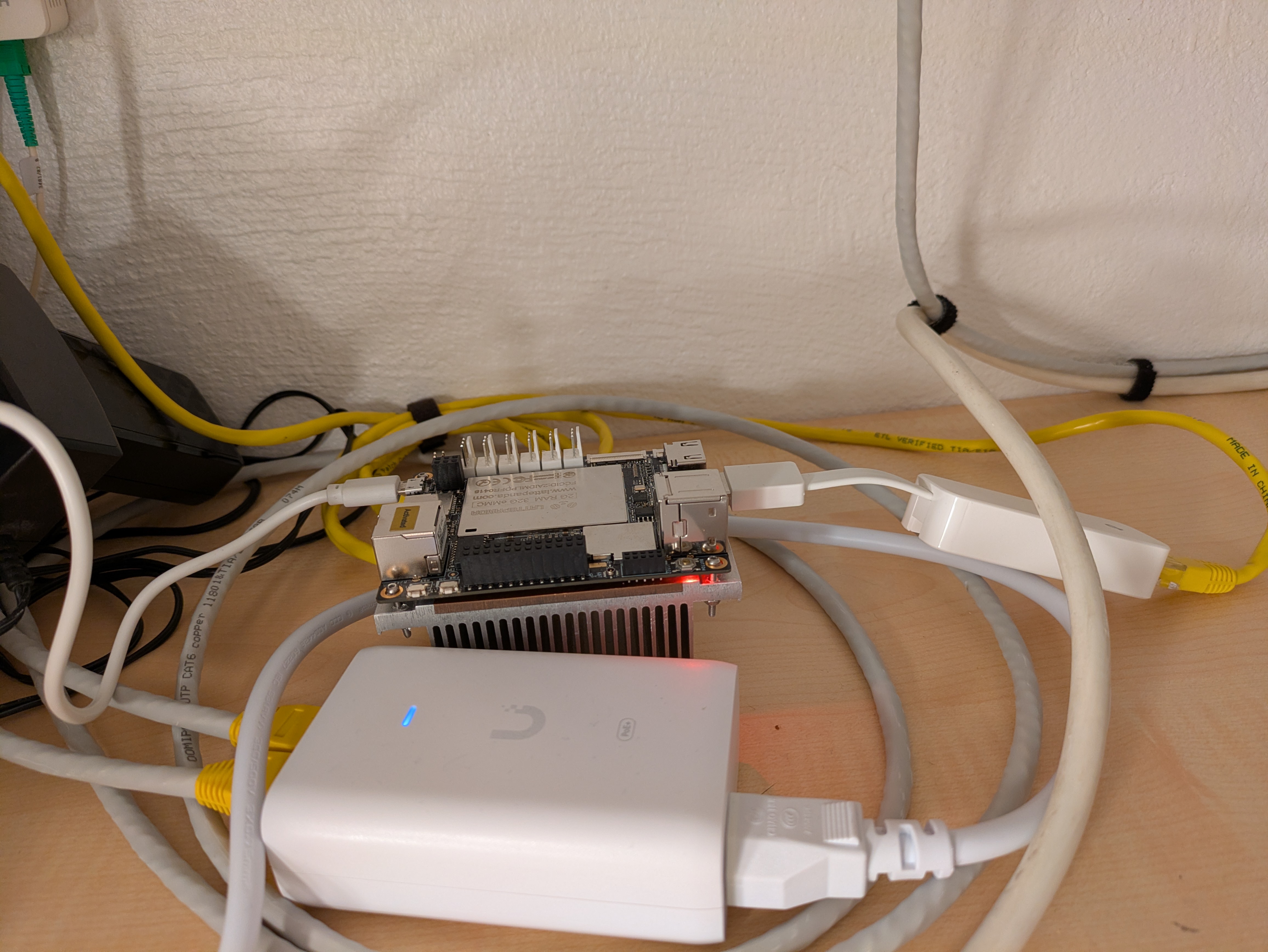
To play things safe, I used an IKEA SJÖSS 20W USB-C power adapter that I got for 3 EUR, with a cheap USB-C to USB-A adapter thrown into the mix. It looks janky, but the adapter outputs 5V 3A, which makes it the beefiest power adapter that I have in my fleet for plain USB-A powered devices.
I then hit the board with some stress commands, including hitting the 2 GB of memory. It ran really well for days, no
issues at all.
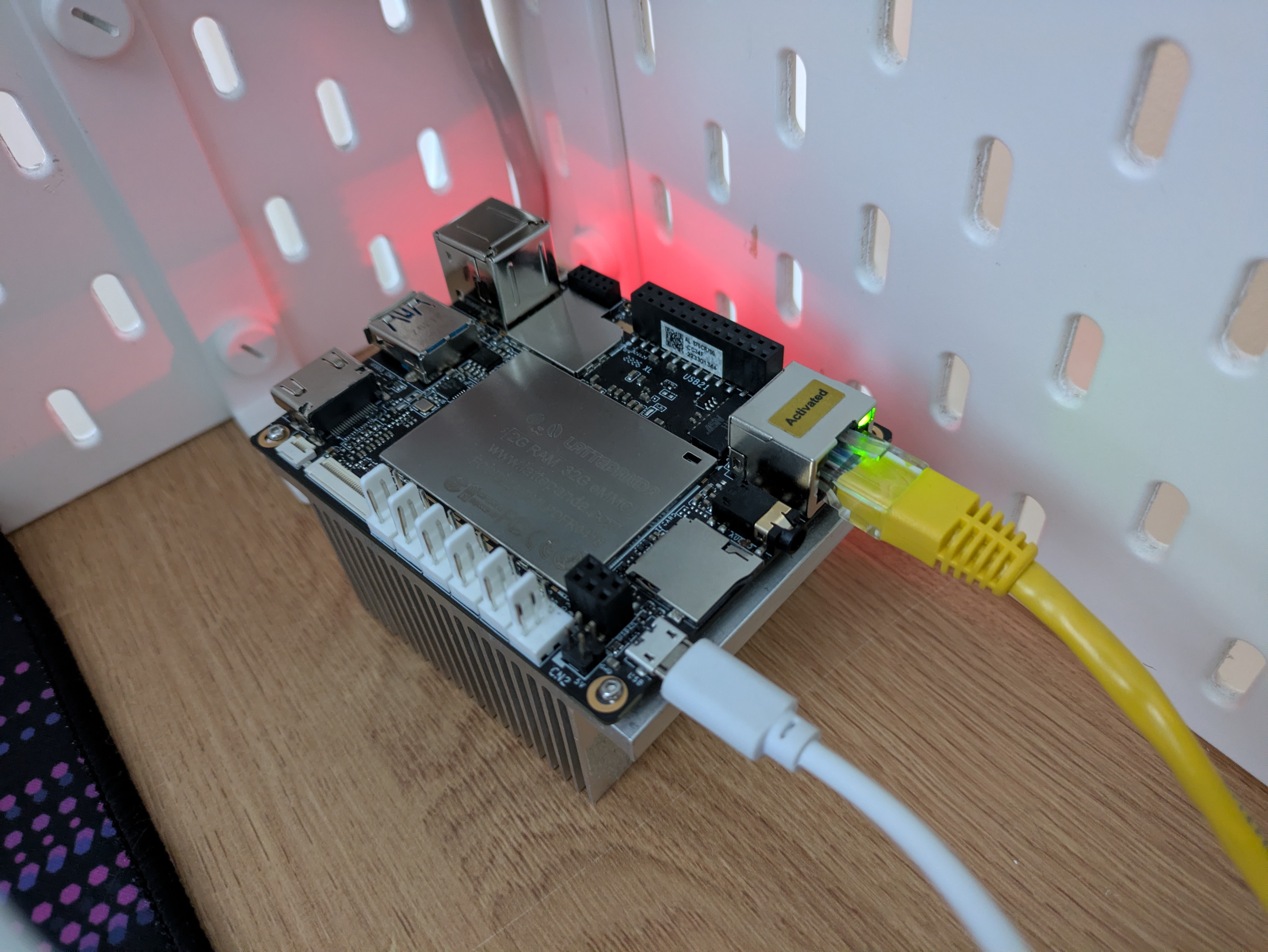
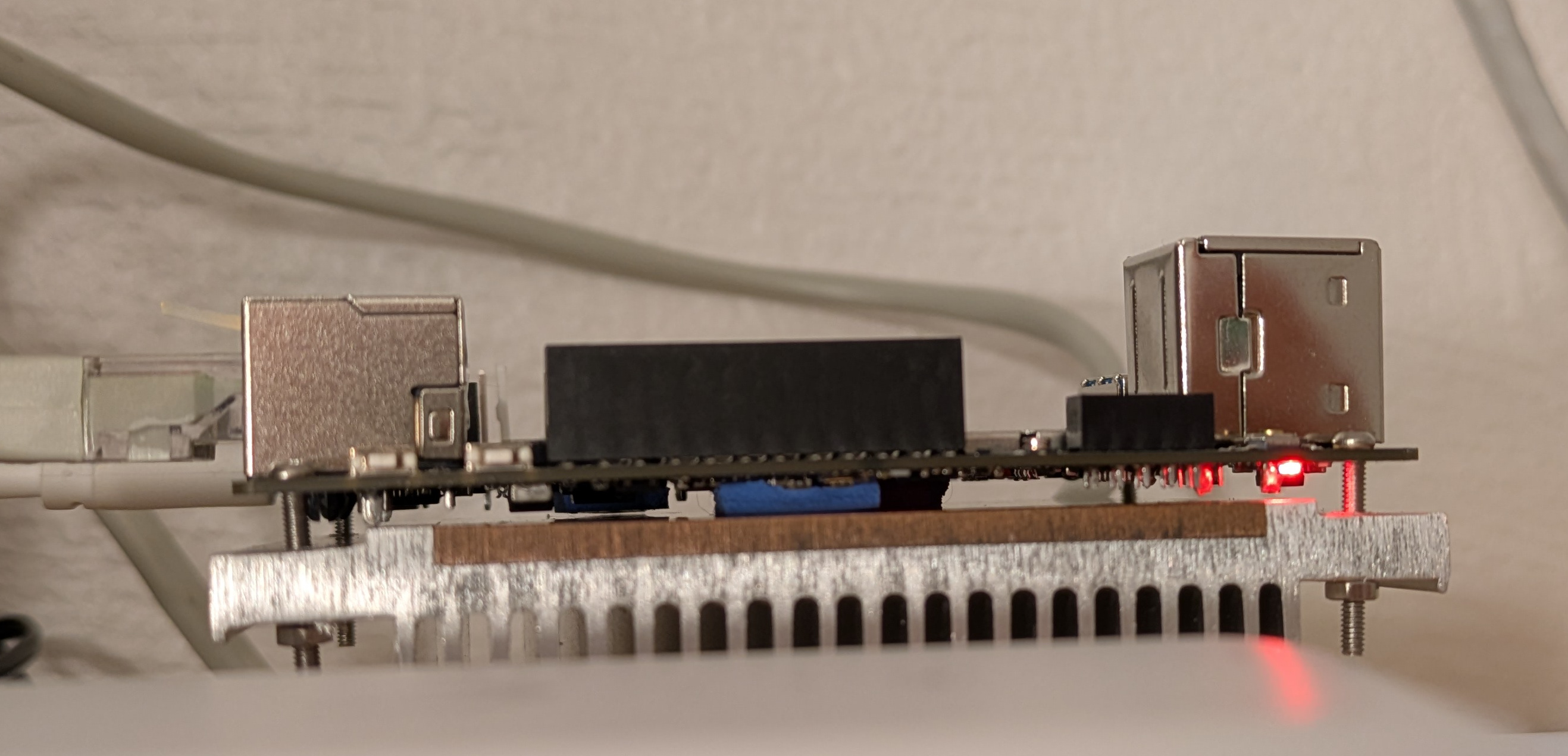
I also improved the cooling situation. I am now a proud owner of an assortment of M2, M2.5 and M3 screws and bits, and equipped with a Makita cordless drill, I made some mounting holes into an old aluminium server heat sink. The drilling was a complete hack job, everything was misaligned, but it was good enough. Certainly better than holding the board and heat sink together with thin velcro strips. The cooling performance is completely adequate, the board hits a maximum of 65°C with the heat sink facing down. This is well below the point at which the board starts to throttle its CPU.
The theoretical maximum Wireguard throughput on this board is about 340 Mbps, measured using the fantastic wg-bench solution.
Remember the part about the USB ports being flaky? Yeah. That didn’t stop me from getting a USB Gigabit Ethernet
adapter to remove one of the main limitations of the LattePanda V1. Based off of vibe-recommendations by Claude, I got a
TP-Link UE300 for its alleged low power usage and its availability at a local computer store in Estonia. It seems to
work well enough, you can push gigabit speeds through it measured by iperf3, and the actual Wireguard performance that
I could push through it with an actual workload was at about 420 Mbit/s, higher than indicated by the benchmark, and
plenty fast for most workloads, especially in external networks that are usually slower than that.
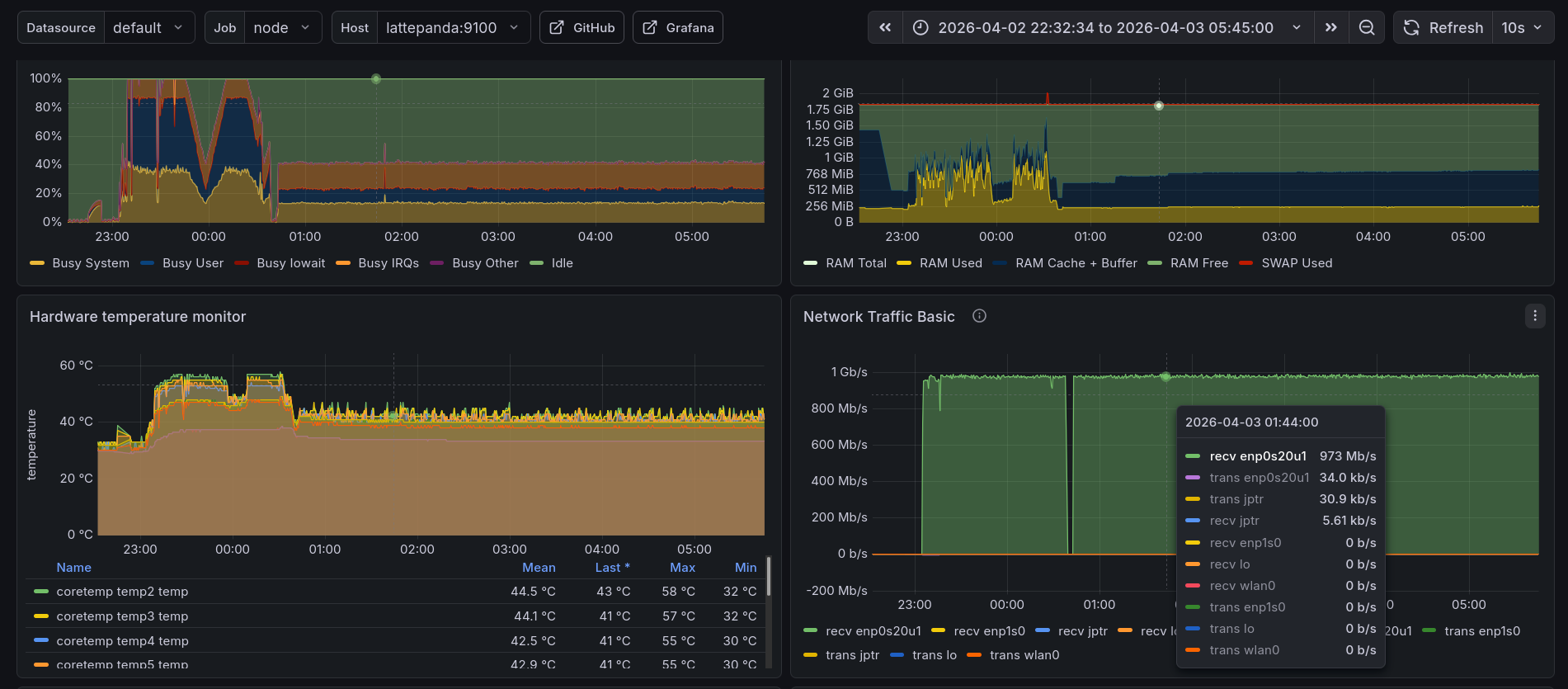
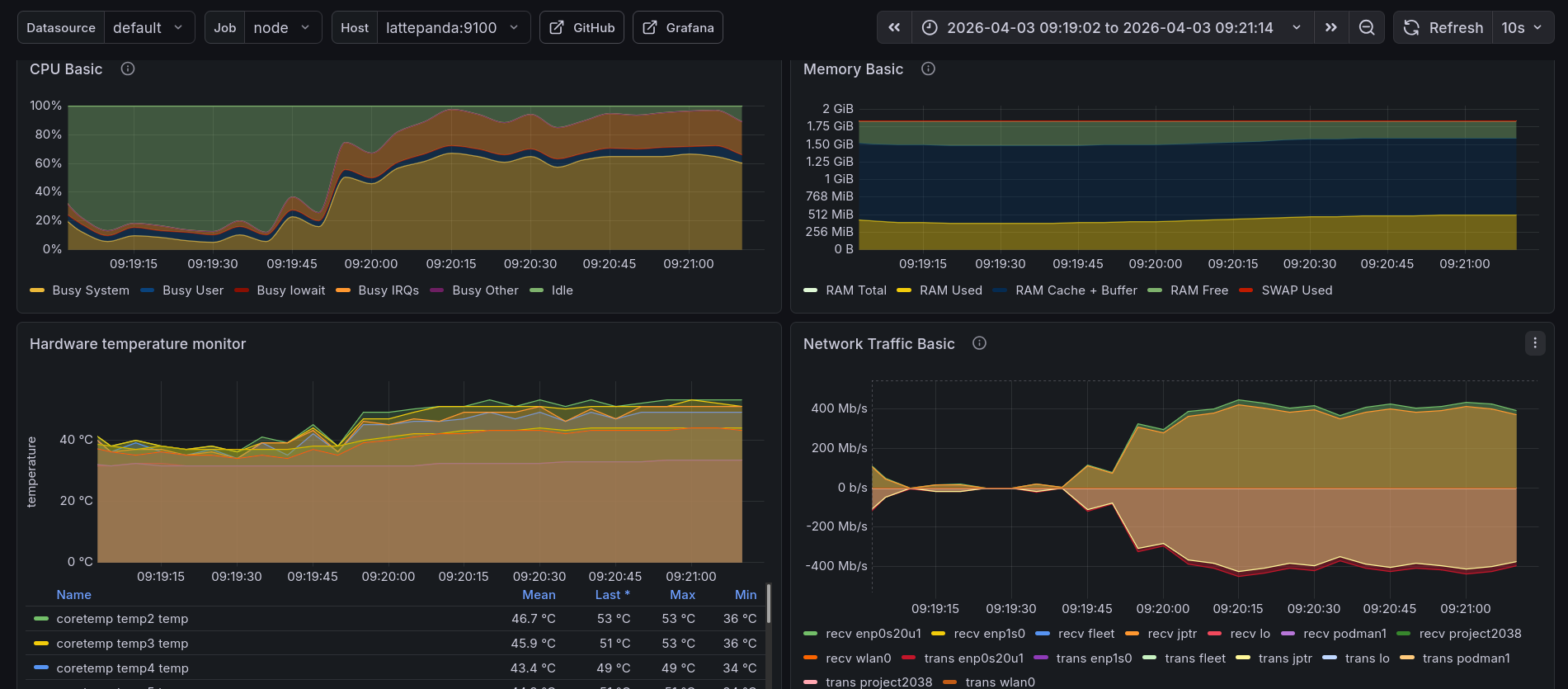
A few hours after making that change, a HN post put some mild load on the LattePanda V1, what good timing.
As of publishing this post, the blog has been running mostly off of the LattePanda V1 for over a month now, with that gap in it being caused by contemplating getting that USB Ethernet adapter and temporarily running the blog and Wireguard off of another mini PC during that time.
Did you notice?
2026 July update
I was running out of room and network ports on my router, so I decided to stop this experiment. During all this time, there were no issues with the LattePanda V1, except when I accidentally bumped into its power cable and made it go offline. Oops.
Subscribe to new posts via the RSS feed.
Not sure what RSS is, or how to get started? Check this guide!
You can reach me via e-mail or LinkedIn.
If you liked this post, consider sharing it!