SteamOS on a ThinkPad P14s gen 4 (AMD) is quite nice
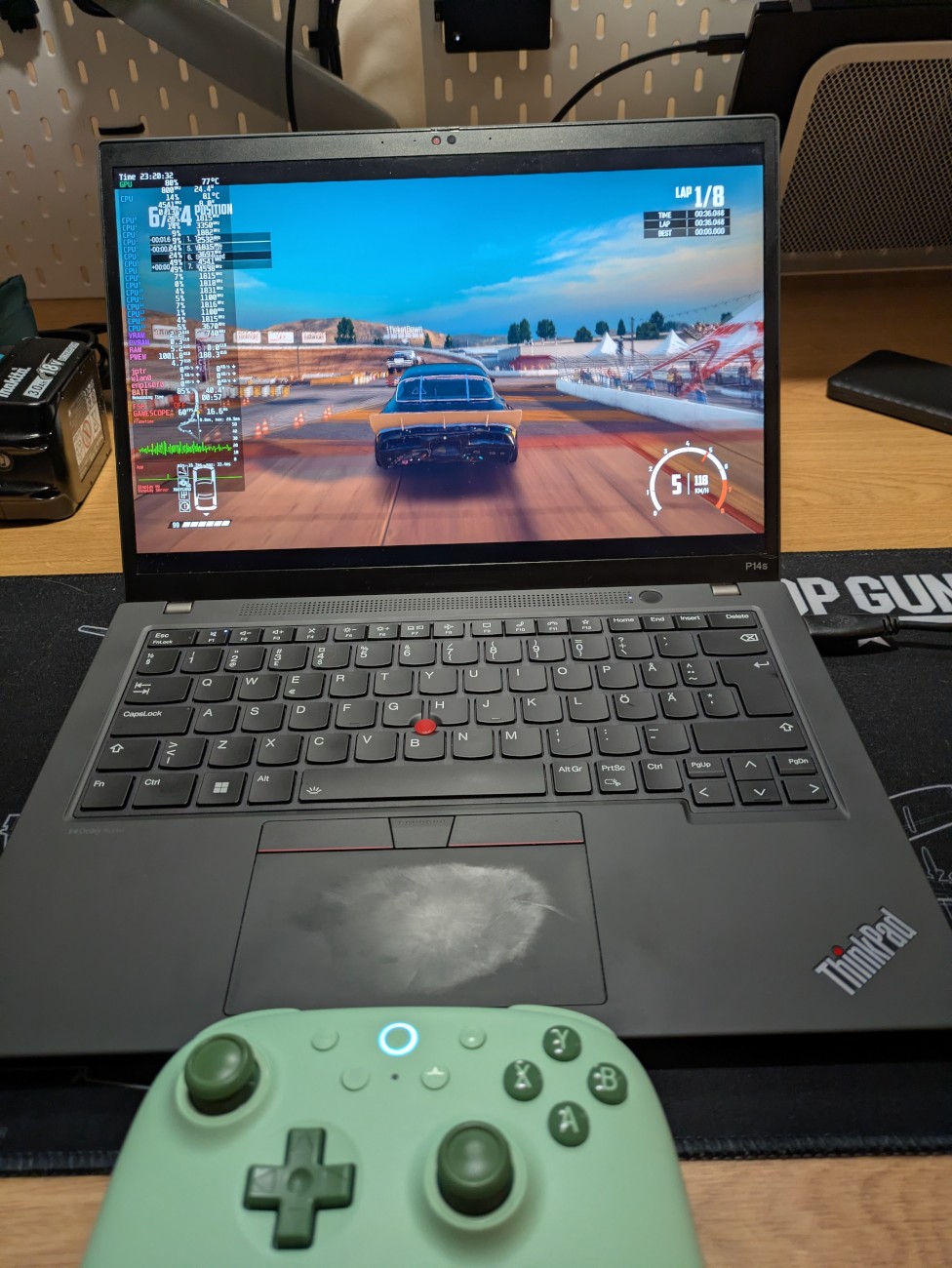
In April 2024, I wrote on the Lenovo ThinkPad P14s gen 4 and how it does not suck under Linux.
That is still true. It’s been fantastic, and a very reliable laptop during all that time.
The P14s gen 4 comes with a CPU that is still solid today, the AMD Ryzen 7 PRO 7840U, and that comes with impressive integrated graphics in the form of an AMD Radeon 780M.
I’ve also accidentally built a Steam Machine.
I had to put SteamOS on this laptop to see how well it does. I did a quick Bazzite test the last time around, but after being impressed with how well the stock SteamOS image runs on a random machine with an AMD GPU, I had to test that, too.
Installing SteamOS on USB storage
The normal way to install SteamOS on a machine is to take the Steam Deck recovery image and to install it on your own machine that has one NVMe SSD.
I didn’t want to do exactly that, I wanted to run it off of an USB SATA SSD, which the recovery image does not
support, as it hard-codes the target SSD for the SteamOS installation to /dev/nvme0n1. There’s a handy project out
there that customizes the recovery script to allow you to install
SteamOS to any target device, but I learned about that after the fact.
I went a slightly different route: I imaged the SteamOS installation from
my DIY Steam Machine build, wrote it to the 4TB USB SSD that I had available for
testing, and after that I resized the /home partition to take up the full disk. Bam, clean SteamOS on a USB SSD!
Oh, and before I did that, I did the same process but to a 128 GB Samsung FIT USB 3.0 thumb drive.
It worked.
The game library images did load a bit slowly, but it was a great demonstration of how low you can go with the hardware requirements. I wouldn’t recommend actually installing games on such a setup as that would likely kill the USB thumb drive very quickly.
Performance
I ran the SteamOS setup on this laptop over a USB-C dock that only supports running at up to 4K at 30Hz, so I did testing at 1080p 60Hz setup. You’re unlikely to want to run this setup at 4K anyway, unless you’re a fan of light, easy to run games like Katamari or Donut County.
In most games, the experience was enjoyable. 1080p resolution, maybe change the settings to medium or low in some cases, and you’ll likely have a solid gaming experience.
Forza Horizon 4? No problem, 1080p high settings and a solid, consistent experience.
Need for Speed Hot Pursuit Remastered was an equally enjoyable experience, and I did not have to turn the settings down from high/ultra.
God of War Ragnarök was pushing the setup to the limits. With 1080p, low/medium settings you can expect 30+ FPS. If you include AMD FSR settings in the mix and also enable FSR frame generation, you can have a perfectly enjoyable 50-60 FPS experience. Some UI hints were a bit “laggy” with frame generation, but I’m genuinely surprised how well that rendering trick worked. I’ll admit it, my eyesight is not the best, but given the choice of a crisp but laggy picture, and a slightly blurrier but smoother experience, I’d pick the latter. After a pint of Winter Stout, you won’t even notice the difference.1
Wreckfest was also heaps fun. It did push the limits of the GPU at times, but running it at 1080p and medium/high settings is perfectly enjoyable.
The observed power usage throughout the heaviest games measured via SteamOS performance metrics (mangohud) were around
30-40 W, with the GPU using up the most of that budget. In most games, the CPU was less heavily loaded, and in the games
that required good single thread performance, it could provide it.
The SteamOS revolution
I like SteamOS. It’s intentionally locked down in some aspects (but you can unlock it with one command), and the Flatpak-only approach to software installation will make some people mad, but I like this balance. It almost feels like a proper console-type experience, almost.
Valve does not officially support running SteamOS on random devices, but they haven’t explicitly prevented it either. I love that.
Take any computer from AMD that has been manufactured from the last 5 years, slap SteamOS on it, and there is a very high chance that you’ll have a lovely gaming experience, with the level of detail and resolution varying depending on what hardware you pick.
A top of the line APU from AMD seems to do the job well enough for most casual gamers like myself, and if the AMD Strix Halo based systems were more affordable, I would definitely recommend getting one if you want a small but efficient SteamOS machine.
Last year, we saw the proliferation of gaming-oriented Linux distros.
The Steam Machine is shipping this year.
DankPods is covering gaming on Linux.
2026 has to be the year of the Linux (gaming) desktop.
-
that’s the tipsy part in techtipsy ↩︎
Subscribe to new posts via the RSS feed.
Not sure what RSS is, or how to get started? Check this guide!
You can reach me via e-mail or LinkedIn.
If you liked this post, consider sharing it!